
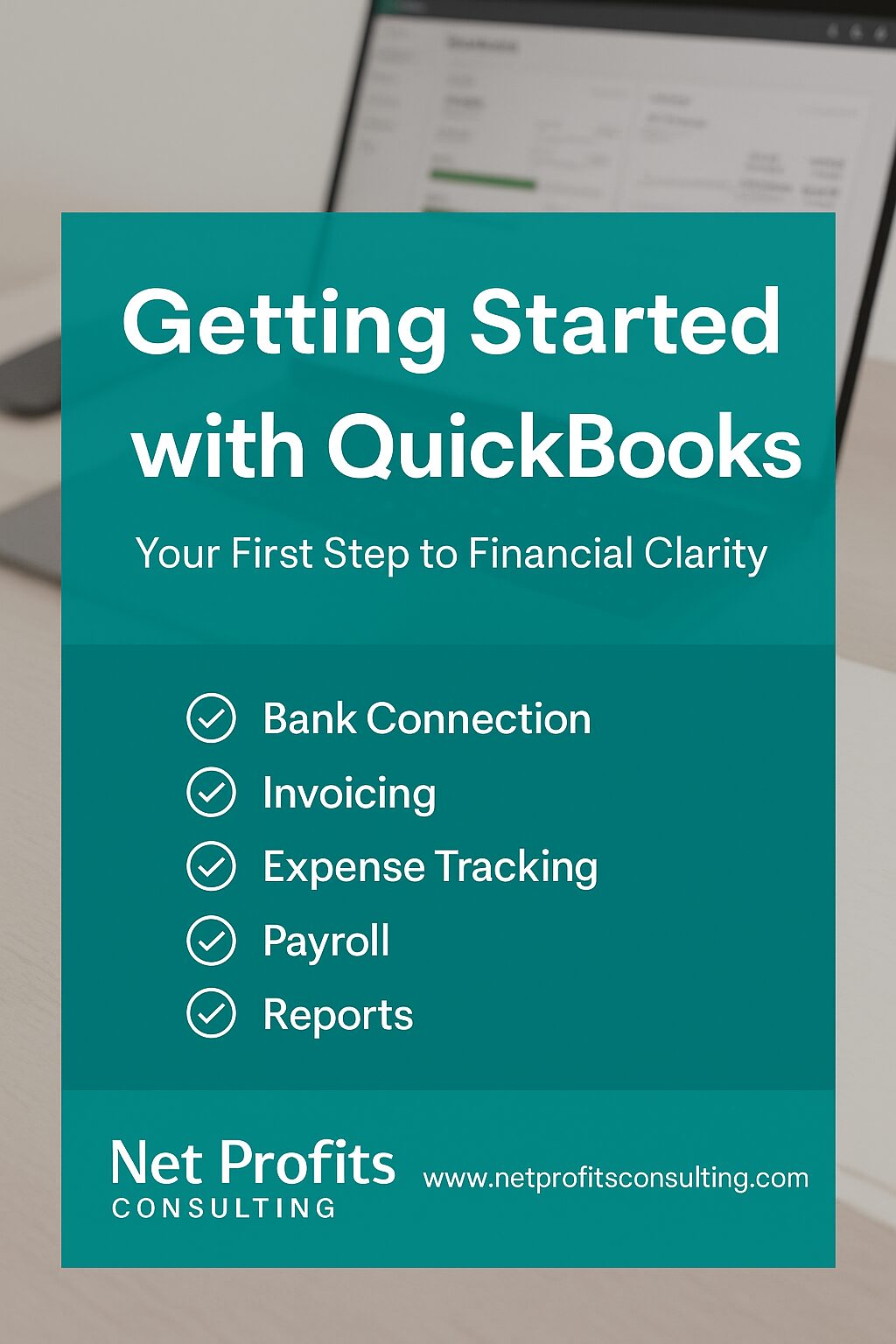
Net Profits QuickBooks Guide
QuickBooks for Small Business: Setup, Bookkeeping, Automation & Financial Reporting
QuickBooks for small business can be much more than a place to categorize transactions. Set up correctly, it can become the financial operating system that helps an owner understand cash flow, profitability, receivables, payables, taxes, and the decisions behind the numbers.
Last reviewed: September 7, 2026 | Author: Cornelius Frazier, MBA
The Net Profits Bottom Line
QuickBooks does not fix bad bookkeeping by itself. Automation can save time, but it can also automate mistakes. The goal is to combine the software with a clean Chart of Accounts, consistent transaction review, monthly reconciliation, useful reports, and a repeatable close process.
Use QuickBooks To
Organize the Books
Then Use the Data To
Make Better Decisions
Do Not Skip
Monthly Reconciliation
What QuickBooks for Small Business Should Actually Do
At its core, QuickBooks is accounting software designed to help businesses organize financial activity. Depending on the product and plan, current QuickBooks offerings can support invoicing, expense tracking, bank feeds, receipt capture, reporting, inventory-related workflows, payments, payroll, and other accounting functions.
However, the software is most valuable when the owner knows what questions the books are supposed to answer. For example: Are we profitable? How much cash is actually available? Which customers owe us money? What bills are coming due? Are margins improving? Can we support a loan, grant, tax filing, or growth decision with clean financial records?
That is why Net Profits treats QuickBooks as part of a larger financial system rather than a stand-alone app. If your books need cleanup, setup, or ongoing support, see our Bookkeeping & Accounting Services for Small Businesses.
QuickBooks Online vs. QuickBooks Desktop in 2026
The older version of this guide treated QuickBooks Online and QuickBooks Desktop as two equal starting choices. That is no longer accurate for many new U.S. customers.
As of 2026, Intuit states that new U.S. subscriptions to QuickBooks Desktop Pro Plus, Premier Plus, and Mac Plus are no longer sold. Existing subscribers may continue to renew supported subscriptions, while QuickBooks Desktop Enterprise remains available. Intuit also continues to support current Desktop subscribers through its modern release process. Therefore, most new small businesses comparing products today will naturally begin with QuickBooks Online unless they have a specific reason to use Enterprise or an existing Desktop environment.
| Question | QuickBooks Online | QuickBooks Desktop / Enterprise |
|---|---|---|
| Access | Cloud-based access from supported devices and browsers. | Desktop-centered environment; Enterprise can also support hosted use cases. |
| New U.S. customers | Widely available. | Pro Plus, Premier Plus, and Mac Plus are not sold to new U.S. subscribers; Enterprise remains available. |
| Best fit | Many small businesses that want cloud access, collaboration, bank feeds, automation, and app integrations. | Existing Desktop users or businesses with specific Enterprise-level requirements. |
Official Intuit references: Desktop availability for new U.S. subscribers and current Desktop release process.
QuickBooks Setup: Build the Foundation Before You Automate
A strong QuickBooks file starts with structure. Before connecting every bank account and turning on automation, make sure the accounting foundation reflects how the business actually earns and spends money.
QuickBooks Setup Checklist
Start With the Chart of Accounts
The Chart of Accounts determines how transactions flow into your financial statements. Too few accounts can hide important information. Too many accounts can make the books unnecessarily complicated. The goal is to create enough detail to support decisions without turning every transaction into a puzzle.
For a deeper explanation, use our Chart of Accounts guide and template.
Separate Business and Personal Activity
QuickBooks becomes harder to trust when personal transactions flow through business accounts without a consistent method for handling them. Therefore, keep business banking separate wherever possible and create clear owner-contribution, owner-draw, distribution, or shareholder-loan workflows based on the entity and facts involved.
QuickBooks Automation: Save Time Without Automating Mistakes
Automation is one of the strongest reasons businesses move away from spreadsheet-heavy bookkeeping. QuickBooks can reduce repetitive work through bank feeds, rules, recurring transactions, invoice reminders, receipt capture, connected apps, and other workflows.
Still, automation needs supervision. A bank rule that repeatedly sends transactions to the wrong expense account can make the books look organized while quietly making the reports less accurate.
Bank Feeds and Transaction Rules
Bank feeds can import transactions from connected financial institutions, which reduces manual entry. Next, rules can help classify recurring activity. However, review the results regularly instead of assuming every suggested category is correct.
Recurring Transactions
For predictable invoices, bills, journal entries, or other recurring activity, templates can reduce repetitive work. Before using them, confirm that the accounting treatment is truly consistent from period to period.
Invoices and Accounts Receivable
QuickBooks can support invoice creation, payment tracking, and reminders. As a result, the bookkeeping system can also become part of the cash-collection process rather than simply recording revenue after the fact.
Receipt and Document Workflows
Digital receipt capture can make supporting documentation easier to organize. Even so, the existence of a receipt does not automatically determine the correct tax or accounting treatment. Documentation supports the books; judgment determines how the transaction should be recorded.
Bank Reconciliation: The Monthly Habit That Protects the Books
Bank reconciliation compares the transactions recorded in QuickBooks with the corresponding bank or credit-card statement. Done consistently, it helps identify missing activity, duplicates, incorrect amounts, uncleared items, and other errors.
Most importantly, the number displayed in a bank-feed screen is not a substitute for reconciliation. A business can have connected feeds and still have inaccurate books. Therefore, reconcile every material bank and credit-card account on a recurring schedule.
Common mistake: trusting the bank balance instead of the books.
Your bank balance tells you what the financial institution currently shows. Your accounting records must also account for outstanding checks, uncleared payments, timing differences, liabilities, receivables, and transactions that may not have reached the bank yet.
The QuickBooks Reports Every Owner Should Understand
QuickBooks for small business becomes much more useful when the owner moves beyond transaction entry and starts reviewing reports. At minimum, most businesses should understand the Profit & Loss statement and Balance Sheet. Depending on the business, cash-flow reporting, receivable aging, payable aging, sales reports, and budget-versus-actual comparisons can also be valuable.
| Report | What It Helps You See | Owner Question |
|---|---|---|
| Profit & Loss | Revenue, expenses, and profitability over a period. | Are we actually making money? |
| Balance Sheet | Assets, liabilities, and equity at a point in time. | What do we own, owe, and have invested? |
| Accounts Receivable Aging | Customers with unpaid balances and how long invoices have been outstanding. | Who owes us money? |
| Accounts Payable Aging | Bills owed to vendors and their due dates. | What obligations are coming due? |
| Cash-Flow Reporting | How cash moved through operating, investing, and financing activity. | Why did cash change? |
For additional decision support, visit our Free Business Tools & Calculators.
A Practical Monthly QuickBooks Close Routine
A monthly close turns bookkeeping from an endless stream of transactions into a repeatable management process. The exact steps vary by business, but this sequence is a useful starting framework.
- Review bank-feed activity. Resolve uncategorized, duplicate, or questionable transactions.
- Reconcile all bank and credit-card accounts. Investigate differences before moving on.
- Review receivables. Follow up on overdue customer balances.
- Review payables. Confirm vendor obligations and upcoming cash requirements.
- Review payroll and tax-related entries. Confirm that payroll, owner activity, sales tax, and other tax accounts are recorded consistently.
- Review the Profit & Loss and Balance Sheet. Look for unusual balances or large month-to-month changes.
- Compare results to budget, prior periods, or targets. The goal is not just accurate history; it is better decisions.
- Document unresolved items. Create a short list of questions for the owner, bookkeeper, accountant, or tax professional.
Common QuickBooks Mistakes That Create Bad Reports
Many accounting problems begin with ordinary workflow mistakes. Fortunately, most of them are preventable when the business uses consistent rules.
- Too many or poorly designed accounts: reports become cluttered and inconsistent.
- Wrong transaction categories: expenses or income land in the wrong place and distort profitability.
- Duplicate transactions: imported and manually entered activity can both appear in the books.
- Skipping reconciliation: bank and book balances drift apart.
- Mixing personal and business spending: owner activity becomes harder to identify and explain.
- Ignoring the Balance Sheet: owners focus only on the P&L and miss debt, equity, loan, or clearing-account problems.
- Automating without review: bad rules repeat bad accounting faster.
- Waiting until tax season: months of cleanup get compressed into a short deadline window.
QuickBooks and Financial Readiness
Clean books become especially important when the business wants financing, grants, government contracts, a lease, investors, or a clearer growth plan. In those situations, QuickBooks is not merely a bookkeeping tool; it can become the source of the financial statements and supporting records decision-makers expect to review.
Use our Small Business Financial Readiness Checklist to see what should be organized before an opportunity arrives.
Tools That Can Support a QuickBooks Workflow
Affiliate disclosure: Net Profits Consulting may earn a commission when a visitor signs up or purchases through certain links below, at no additional cost unless the provider states otherwise. We recommend tools only where they fit the workflow discussed in this article. Always review current pricing, features, security practices, and integrations before purchasing.
QuickBooks
The core accounting platform discussed in this guide for bookkeeping, reporting, invoicing, and business-money workflows.
Shoeboxed
Useful for businesses that need a stronger receipt and supporting-document capture process alongside bookkeeping.

Synder
A relevant option for e-commerce sellers that need sales, fees, and payment-platform data synchronized into accounting workflows.

BILL
Can support accounts-payable, accounts-receivable, and payment workflows when a business needs more structure around money movement.

To compare additional options across accounting, operations, sales, marketing, security, and growth, visit the Net Profits Partner Ecosystem.
Cornelius’ Take: QuickBooks Should Explain the Business, Not Just Record It
From Cornelius Frazier, MBA
If the owner cannot explain the numbers, the bookkeeping system is not finished doing its job.
I want QuickBooks to do three things: keep the records organized, make problems easier to spot, and help the owner make better decisions. That requires more than connecting a bank feed. It means designing the accounts properly, reconciling consistently, reviewing the financial statements, and asking what the numbers are telling us about the operation.
Practical Next Step
Do not automate bookkeeping you do not understand.
Clean the structure first. Then automate the repetitive work. Finally, review the reports on a schedule so QuickBooks becomes a decision system instead of a digital shoebox.
Need help with QuickBooks?
Clean up the books, improve the setup, and build a reporting process you can actually use.
Net Profits Consulting can help with QuickBooks setup, cleanup, reconciliations, bookkeeping systems, financial reporting, and business-owner training.
Frequently Asked Questions About QuickBooks for Small Business
Is QuickBooks the same thing as having a bookkeeper?
No. QuickBooks is software. It can automate and organize many accounting workflows, but someone still needs to set up the system, review transactions, reconcile accounts, correct mistakes, and interpret the reports.
How often should I reconcile QuickBooks?
For many small businesses, monthly reconciliation is a practical minimum. Businesses with high transaction volume, cash-flow pressure, or complex operations may benefit from more frequent review.
Should I use QuickBooks Online or Desktop?
For many new U.S. small businesses, QuickBooks Online is the more straightforward starting point because new subscriptions to Desktop Pro Plus, Premier Plus, and Mac Plus are no longer sold in the United States. Existing Desktop subscribers may continue to renew supported products, and Enterprise remains available for businesses with more specialized requirements.
Can QuickBooks help at tax time?
Yes, organized books can make tax preparation more efficient because income, expenses, payroll activity, assets, liabilities, and supporting records are easier to review. However, QuickBooks does not determine every tax treatment automatically, and tax rules depend on the entity, transaction, and facts involved.
What reports should a small-business owner review?
At minimum, most owners should understand the Profit & Loss statement and Balance Sheet. Depending on the business, receivable aging, payable aging, cash-flow reports, sales reports, and budget comparisons can also be useful.
Cornelius Frazier, MBA
Founder, Net Profits Consulting · Business Consultant · Operations Strategist · Certified Business Educator
Cornelius combines a B.A. in Accounting, an MBA, business education, and more than two decades of business and finance experience. His work focuses on helping entrepreneurs understand the numbers, systems, and decisions behind business performance.
Educational notice: Product features, plans, pricing, and availability can change. Review current information from Intuit before purchasing or changing QuickBooks products. Net Profits Consulting is an independent business consulting and accounting services firm and is not Intuit.