

Email deliverability is the ability to get legitimate business email accepted and placed where recipients can actually see it. In 2026, that means more than writing a good subject line. Small businesses need authentication, clean lists, permission-based sending, low complaint rates, functional unsubscribe, consistent sending practices, and monitoring across Gmail, Yahoo, Outlook, and other mailbox providers.
Net Profits Marketing Systems Guide
Email Deliverability for Small Business: 2026 Guide
Build a healthier sending system with SPF, DKIM, DMARC, list hygiene, unsubscribe controls, sender monitoring, and practical deliverability tools.
Last reviewed: September 8, 2026 | Author: Cornelius Frazier, MBA
The Net Profits Bottom Line
A deliverability tool cannot rescue poor sending practices by itself. Start with permission → authentication → list quality → relevant content → controlled volume → easy unsubscribe → monitoring. Tools such as Warmy can help diagnose and monitor the sending environment, but they should sit on top of a sound email program.
Email Delivery vs. Email Deliverability
Delivery means the receiving server accepted the message. Deliverability is the broader question of whether the message reaches the inbox, promotions tab, spam folder, or another filtered location.
A campaign can show a high delivery rate and still underperform if too many messages land in spam, recipients complain, addresses are stale, or the sender’s authentication and reputation are weak.
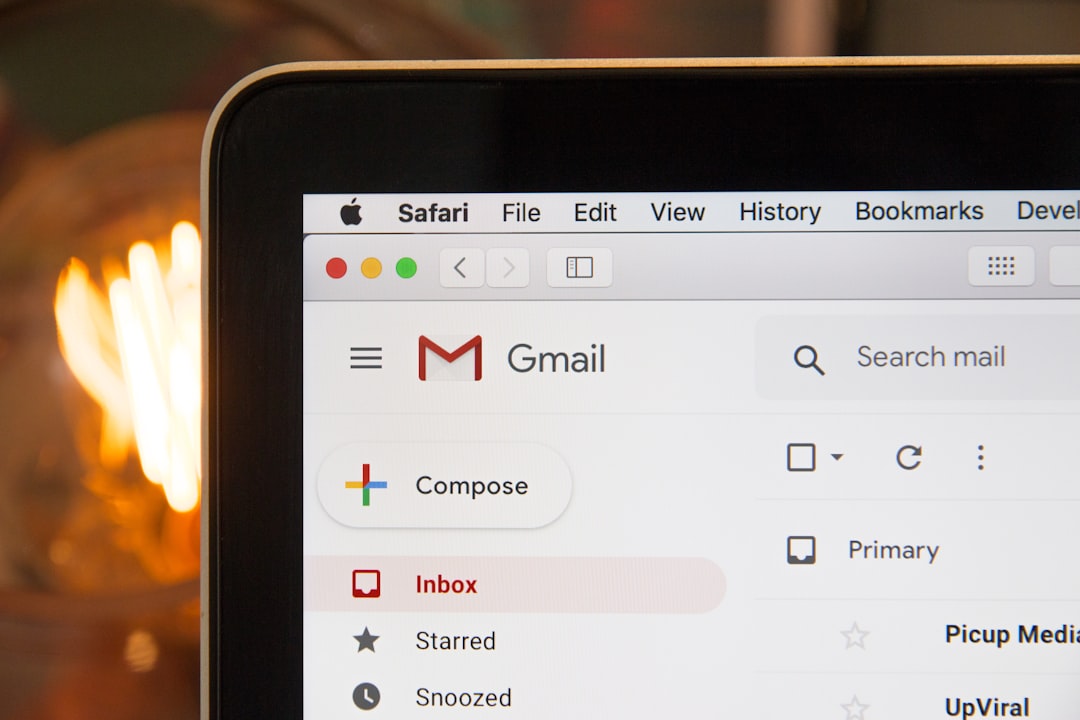
2026 Email Sender Requirements You Should Know
Mailbox providers have tightened authentication and hygiene requirements. Exact rules can change, so businesses that send meaningful volume should review provider guidance periodically.
| Provider | Important 2026 Requirements | Practical Takeaway |
|---|---|---|
| Gmail | All senders need authentication and good sending practices. Senders at roughly 5,000+ messages per day to personal Gmail accounts face additional SPF, DKIM, DMARC, alignment and unsubscribe requirements. | Authenticate before scaling and monitor Gmail Postmaster Tools. |
| Yahoo | Bulk senders need SPF, DKIM, DMARC, alignment, easy unsubscribe and low complaint rates. | Make opting out easier than marking the message as spam. |
| Outlook.com | Microsoft’s high-volume rules for domains sending more than 5,000 messages per day include SPF, DKIM and DMARC, along with hygiene and unsubscribe recommendations. | Treat authentication as a baseline, not an optional technical upgrade. |
Google’s current guidance tells bulk senders to keep user-reported spam below 0.1% where possible and avoid ever reaching 0.3% or higher. Gmail also requires one-click unsubscribe for applicable marketing and promotional messages from bulk senders. Review the current Gmail sender guidelines, Yahoo Sender Hub, and Microsoft’s high-volume sender requirements.
1. Configure SPF, DKIM, and DMARC Correctly
Authentication helps receiving systems verify that messages claiming to come from your domain are authorized.
- SPF: identifies servers authorized to send on behalf of the domain.
- DKIM: applies a cryptographic signature that helps verify message integrity and sending identity.
- DMARC: builds on SPF and DKIM, adds alignment requirements, and tells receivers how the domain wants authentication failures handled.
If you use several systems—such as HubSpot, Google Workspace, a newsletter platform, transactional email, or sales outreach—make sure each legitimate sender is accounted for without creating broken or overly broad DNS records.
Do not guess with DNS
A malformed SPF record, unsigned DKIM mail, or DMARC misalignment can create delivery problems. If you are not comfortable editing DNS, have your email provider, IT professional, or qualified consultant review the configuration.
2. Protect List Quality and Permission
The safest list is built from people who reasonably expect your email. Purchased lists, scraped contacts, old databases, and aggressive cold outreach can increase bounce and complaint risk.
For marketing lists:
- capture consent clearly;
- record the source and date of signup where practical;
- remove hard bounces;
- suppress unsubscribed recipients;
- watch inactive segments;
- avoid repeatedly sending to addresses that never engage;
- validate imported lists before using them.
A verification service such as Bouncer can help identify invalid or risky addresses before a major send. Verification does not create consent, however; a technically valid address can still be an unwanted recipient.
3. Increase Sending Volume Carefully
Large, sudden changes in sending behavior can attract filtering attention. A new domain or mailbox with little history should not behave like a mature sender overnight.
Build volume around actual business need and recipient expectation. Separate transactional mail, marketing mail, and high-volume outreach when doing so improves control and troubleshooting. Keep From addresses consistent for the same message type.
Automated warm-up tools are one method some businesses use to establish or monitor sending behavior. They do not replace consent, authentication, list hygiene, relevant content, or provider compliance, and no warm-up service can guarantee inbox placement.
4. Track Deliverability Metrics, Not Just Opens
| Metric | Why It Matters | Watch For |
|---|---|---|
| Hard bounce rate | Signals invalid or undeliverable addresses. | Sudden increase after a list import. |
| Spam complaint rate | Direct signal that recipients do not want the mail. | Any sustained upward trend. |
| Inbox placement | Shows where test messages land. | Provider-specific spam or promotions shifts. |
| Authentication status | Confirms SPF/DKIM/DMARC are working. | Failures or domain misalignment. |
| Unsubscribe rate | Can reveal message-audience mismatch. | Spikes by campaign or segment. |
| Conversions | Connects deliverability to business value. | High sending volume with little business outcome. |
Open rates are less reliable than they once were because privacy features and automated image loading can distort them. Use opens as one signal, not the sole measure of success.
Where Warmy.io Fits Into Email Deliverability
Warmy.io is a deliverability platform that currently offers automated warm-up, inbox-placement testing, domain-health monitoring, DNS checks for records such as SPF/DKIM/DMARC, blacklist monitoring, reporting, Google Postmaster visibility, and tools for managing multiple mailboxes or domains. Warmy has also added 2026 reporting, API, seed-list and warm-up analytics capabilities.
The useful question is not “Will Warmy guarantee the inbox?” No platform can honestly guarantee that. The better question is whether the tool helps your team identify authentication problems, monitor placement, see reputation changes, and manage deliverability work more consistently.
Cornelius’ Take
Email deliverability is an operations problem disguised as a marketing problem. Marketing sees the campaign. Operations should see the system: who entered the list, what permission exists, which platform sent the message, whether the domain authenticated, what happened to bounces and complaints, and whether a real business result followed.
Use HubSpot to Make Email More Expected
For Net Profits, HubSpot should help control what happens before the send. A strong nurture flow can look like:
Form signup → source captured → contact segmented → relevant welcome/nurture sequence → engagement tracked → strategy-call or resource CTA
This is stronger than sending the same email to every contact. Segmentation makes the message more relevant, and relevance helps reduce the behavior that damages sender reputation.
See the broader Net Profits marketing strategy guide and our systems and workflow setup services for the systems around lead capture and follow-up.
30-Day Small Business Email Deliverability Checklist
| Week | Action | Outcome |
|---|---|---|
| 1 | Inventory every platform that sends mail from your domain. Verify SPF, DKIM, DMARC and sending identities. | Known, authenticated sending environment. |
| 2 | Clean the list, suppress unsubscribes, review old contacts and validate imported addresses. | Lower bounce and complaint risk. |
| 3 | Segment by signup source, customer stage and interest. Confirm unsubscribe works properly. | More relevant campaigns. |
| 4 | Review complaints, bounces, placement, authentication and conversions. Document the monthly monitoring routine. | Repeatable deliverability control. |
Recommended Tools
Warmy.io
Deliverability monitoring, inbox testing, domain health and warm-up workflows.

Bouncer
Email verification and list-quality support before sending to imported or aging lists.

Affiliate disclosure: Net Profits Consulting may earn a commission if you purchase through certain partner links, at no additional cost to you. Recommendations are selected for relevance to the workflow discussed.
Practical Next Step
Before sending your next large campaign, verify the domain, clean the list, test unsubscribe, and send to the most relevant segment first. Protect the sending asset before chasing volume.
Email Deliverability FAQs
Does email warm-up guarantee inbox placement?
No. Inbox placement is controlled by mailbox providers and depends on many factors, including authentication, reputation, complaints, list quality, content and recipient behavior.
What is the most important first step?
Confirm that every legitimate sending platform is authenticated correctly and that your list consists of people you have a defensible reason to contact.
Do small senders need SPF, DKIM and DMARC?
Provider thresholds determine which controls are mandatory, but authentication is still a best practice for smaller senders. It helps protect your domain and reduces avoidable deliverability problems.
Should I remove inactive contacts?
Review them rather than automatically keeping every address forever. A re-engagement process can help identify people who still want the mail, after which chronically inactive contacts can be suppressed according to your policy.
Can Net Profits help with the marketing system around email?
Yes. Net Profits can help map lead capture, HubSpot follow-up, workflow automation, reporting and business systems. Book a 15-minute strategy call.
Need a better lead-to-follow-up system?
Net Profits Consulting helps small businesses connect marketing, CRM, operations and financial measurement so leads do not disappear after the form submission.
About the author
Cornelius Frazier, MBA is a business consultant, operations strategist, Certified Business Educator, and founder of Net Profits Consulting. His work focuses on helping small-business owners connect accounting, operations, technology, and strategy to better decisions.
Notice: Email provider requirements and deliverability systems change over time. This article is educational and does not guarantee inbox placement. Review current provider policies and applicable marketing/privacy laws for your business and audience.
